Appearance
Alarms
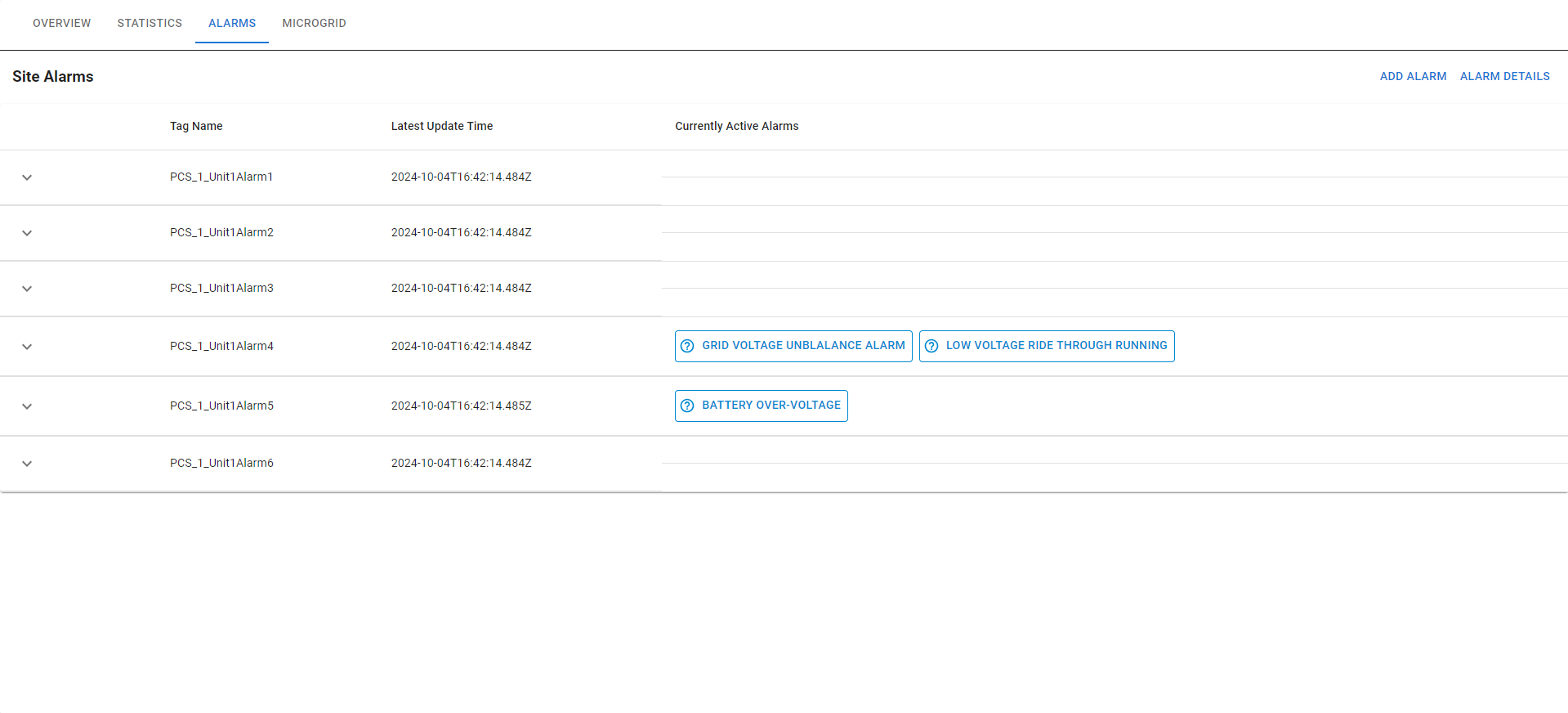
In the "ALARMS" tab, users can monitor the alarm status of the system, identifying which alarms have been triggered to assist in troubleshooting, ensuring that the system can prevent potential dangers and malfunctions, thereby enhancing overall safety and reliability.
Alarm Details
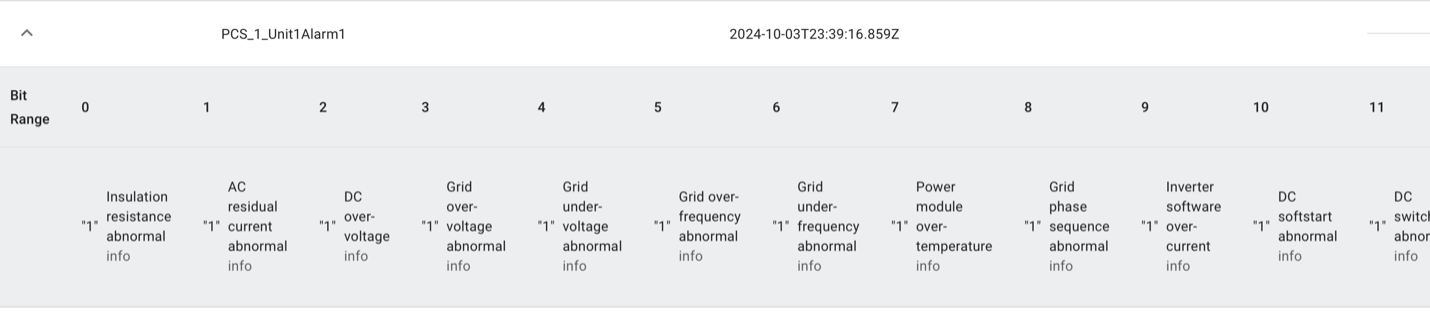
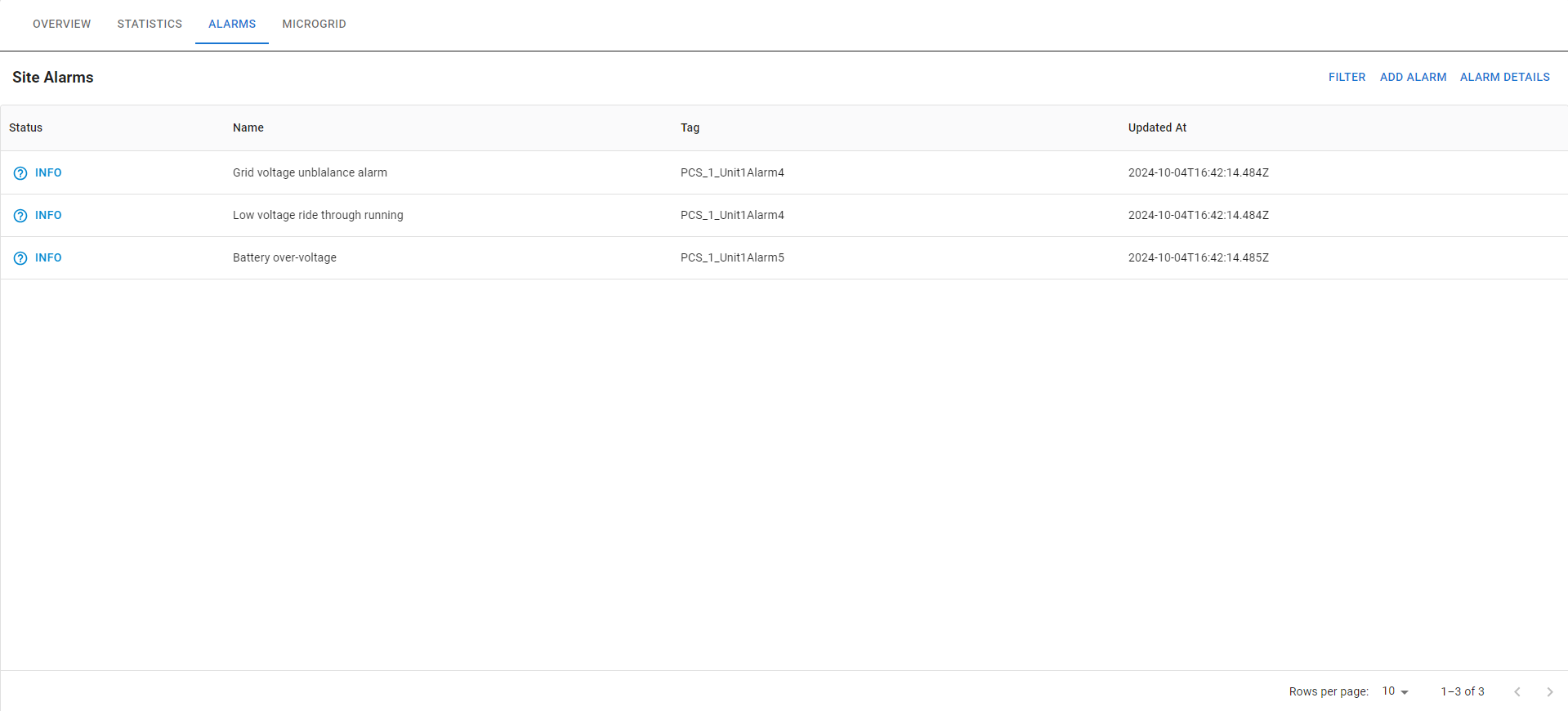
In the ALARM DETAIL section, users can access more information about each active and inactive alarm, as well as the time that active alarm occurred, the cause that triggers the alarm.